PHP Music
A simple, fast, and modern self-hosted music player built entirely in a single PHP file.
Galleries
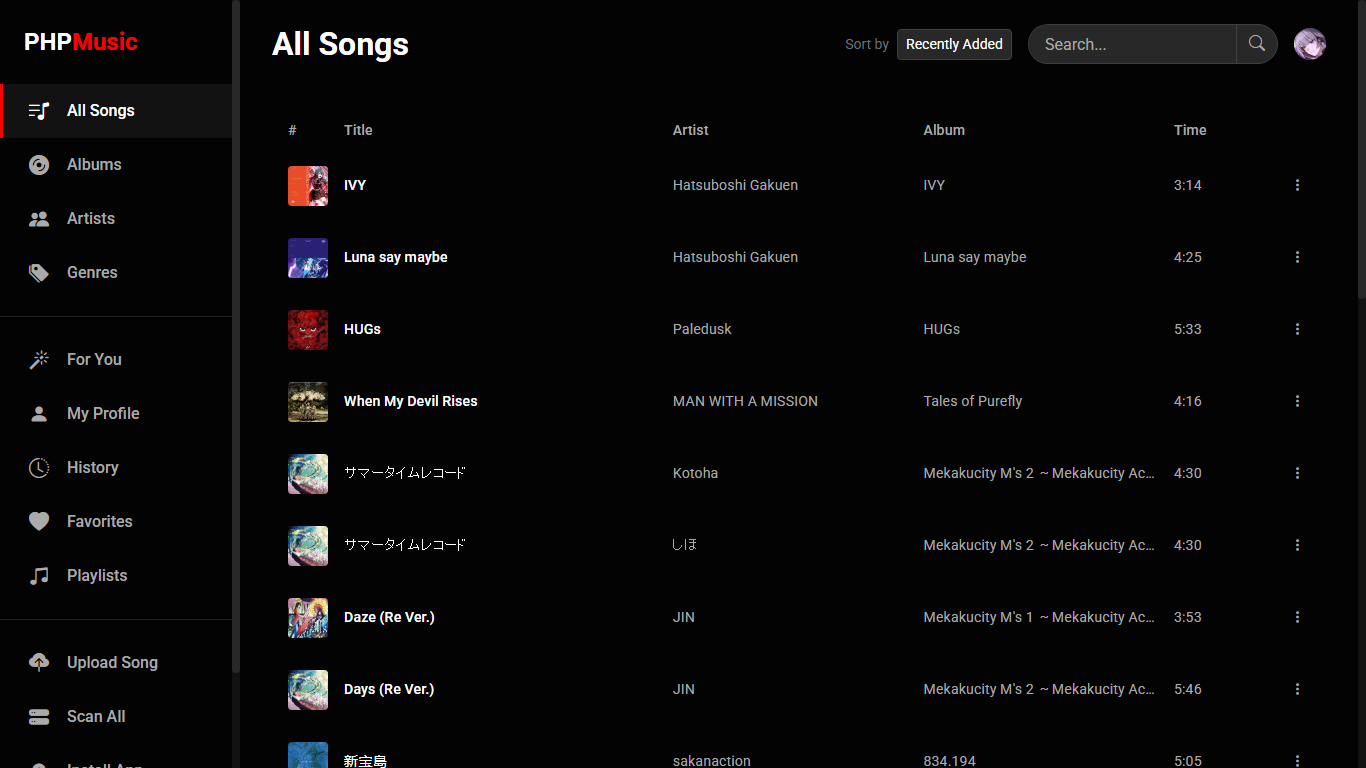
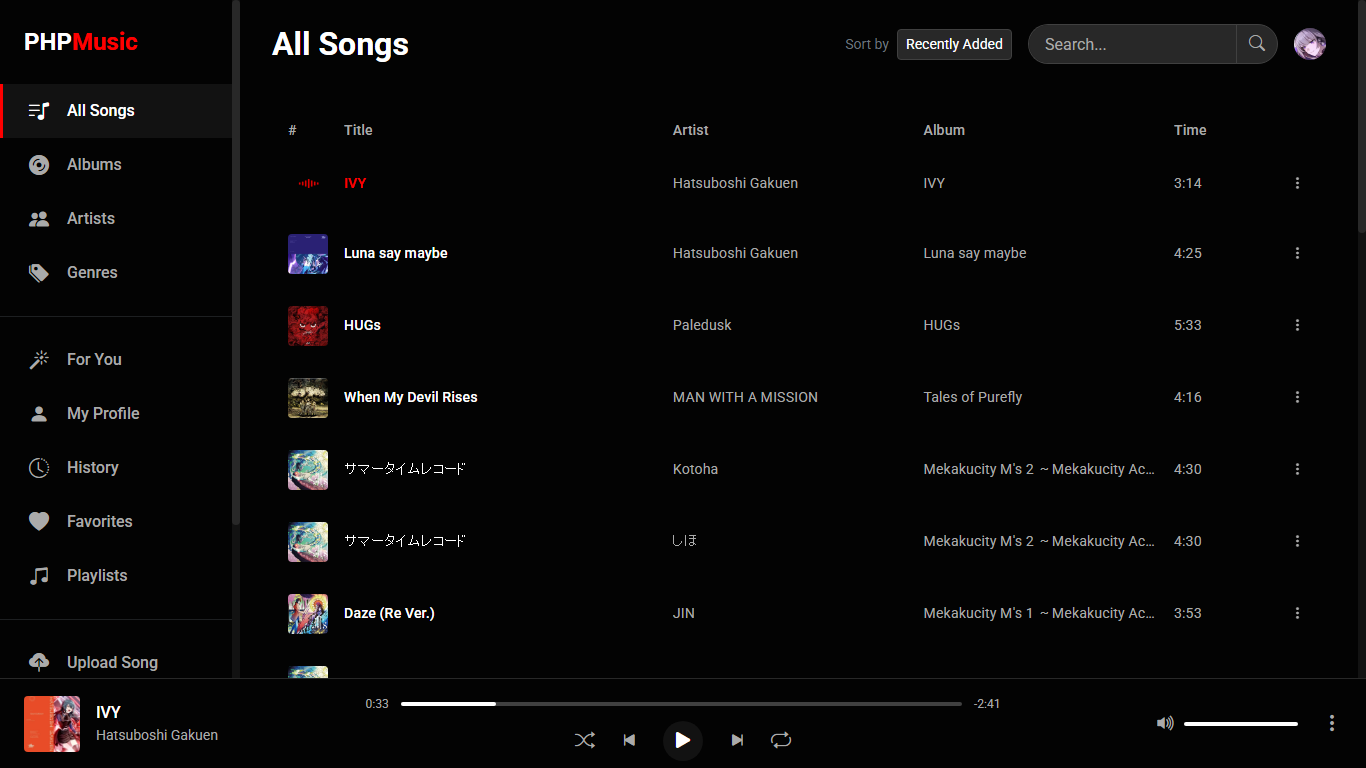
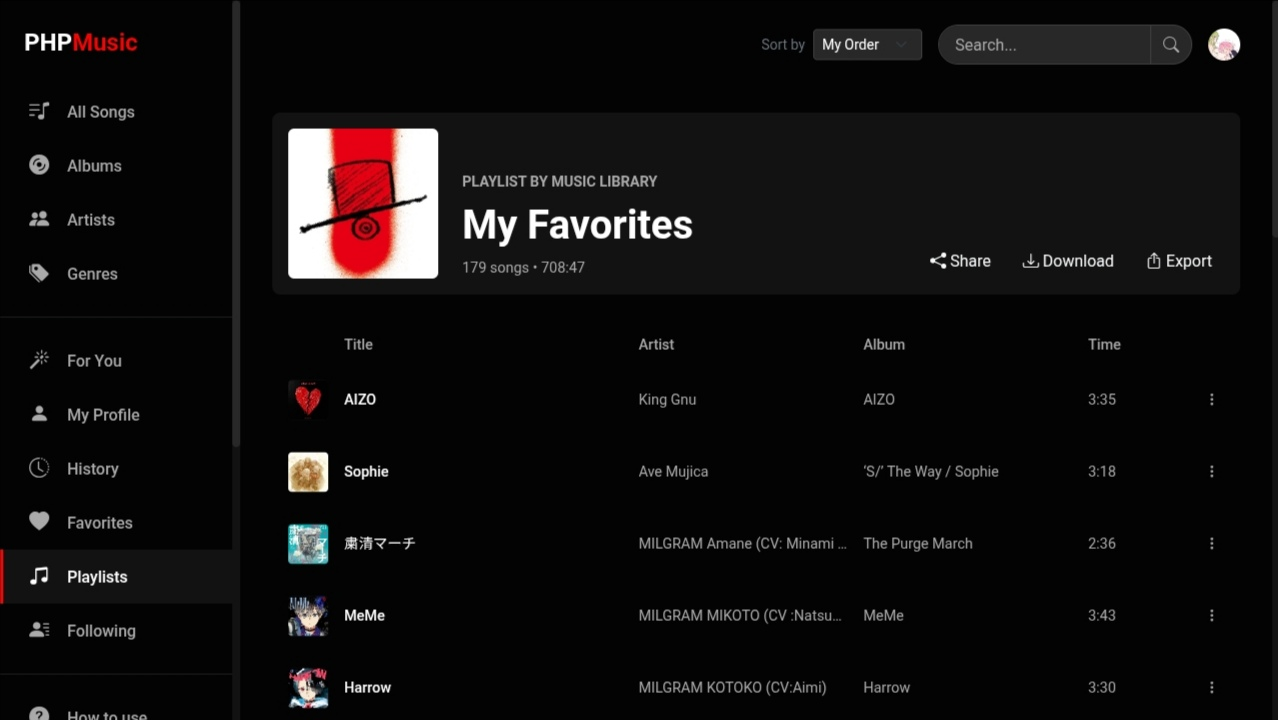
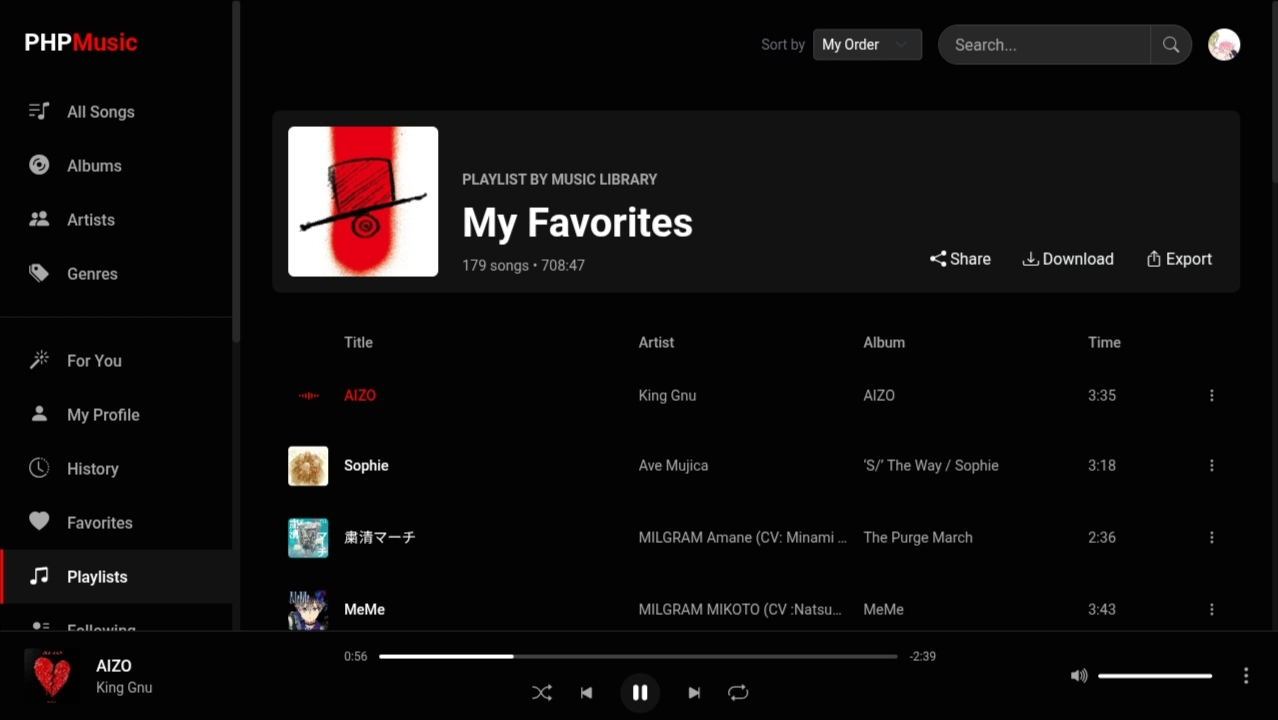
Introduction
PHP Music is an open-source, web-based, self-hosted music platform contained entirely within a single
index.php file. By utilizing an embedded SQLite database (music.db), it offers a seamless deployment experience with no complex database setup required. It boasts a beautiful dark UI inspired by YouTube Music, complete with user accounts, metadata editing, synchronized lyrics, full PWA support, dynamic playlists, collaborative playlist contribution, an advanced audio engine, auto-generated mixes, an integrated Markdown blogging platform, a multi-layered HTML5 image editor, a fully functional rhythm game engine, an integrated PHPEditor IDE, and extensive social sharing functionality.
- 🎵 Scan & Play: Recursively scans your directory for
mp3,m4a,flac,ogg, andwavfiles. - 🔒 User Accounts & Long Sessions: Secure registration, profile management, and sessions that last for up to an entire year.
- 📱 Progressive Web App (PWA): Dynamic Service Worker caches assets and media streams for rapid loading and true offline performance.
- ✏️ Metadata Editor & Lyrics: Edit ID3 tags (Title, Artist, Album, Genre, Lyrics) and view synchronized LRC lyrics in real-time.
- 📝 Blogging & Markdown Platform: Create, auto-save, and publish blogs with Markdown, Find & Replace, multi-format exports (PDF, HTML, MD, TXT, ZIP), and threaded comments.
- 🔒 Personal Privacy Controls: Set playlists, uploaded songs, or blogs to "Personal Private" mode, keeping them hidden and unplayable/unreadable for all other users.
- 🎨 Integrated Image Editor (ImagEditor): Design graphic covers or modify images with custom layers, filters, shapes, text, scale transformations, and PNG exports directly in-app.
- 🎧 PHPAudio – Audio Editor: Trim, amplify, edit metadata, and save audio files directly to your library with waveform preview and rollback support.
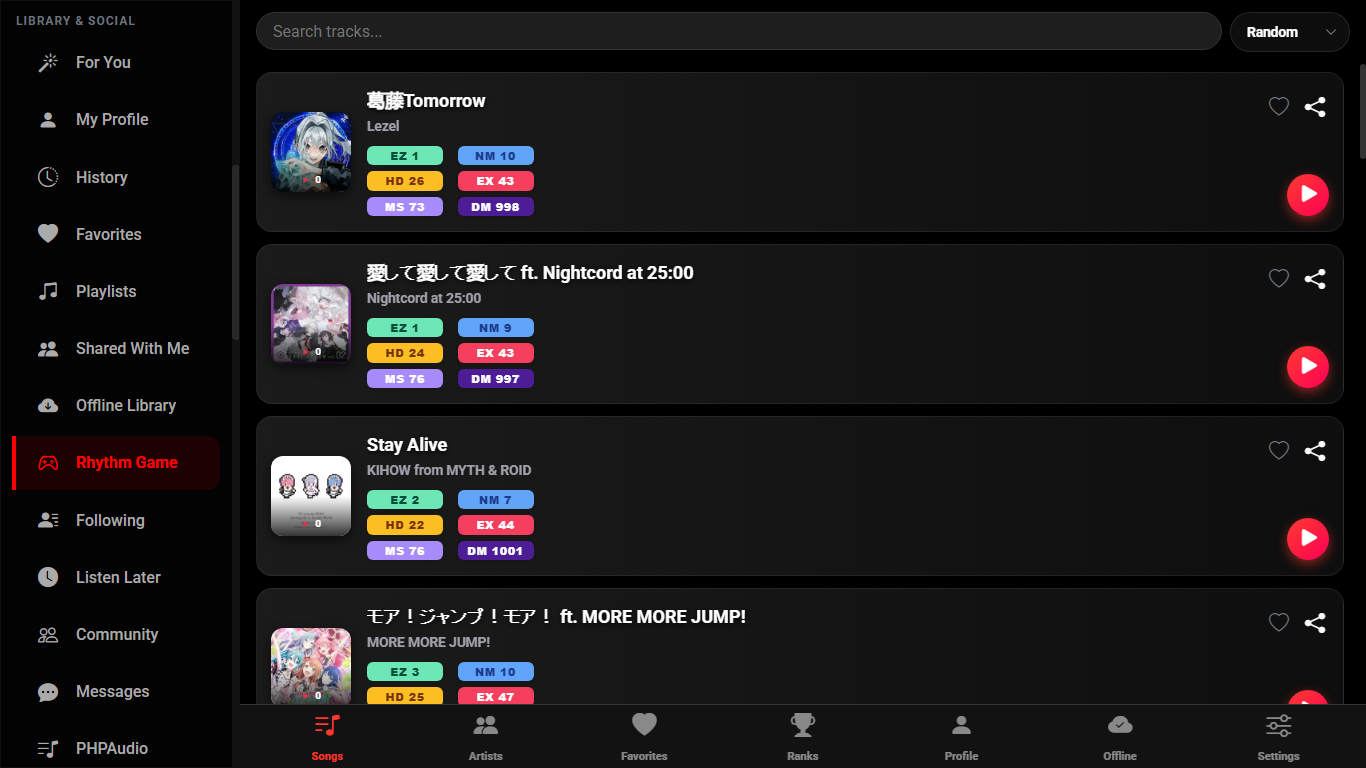
- 🕹️ Embedded Rhythm Game: Play auto-analyzed beatmaps of your personal library with customizable keybinds, adjustable tick speeds (up to 20x), pause menus, and player-based global ranks.
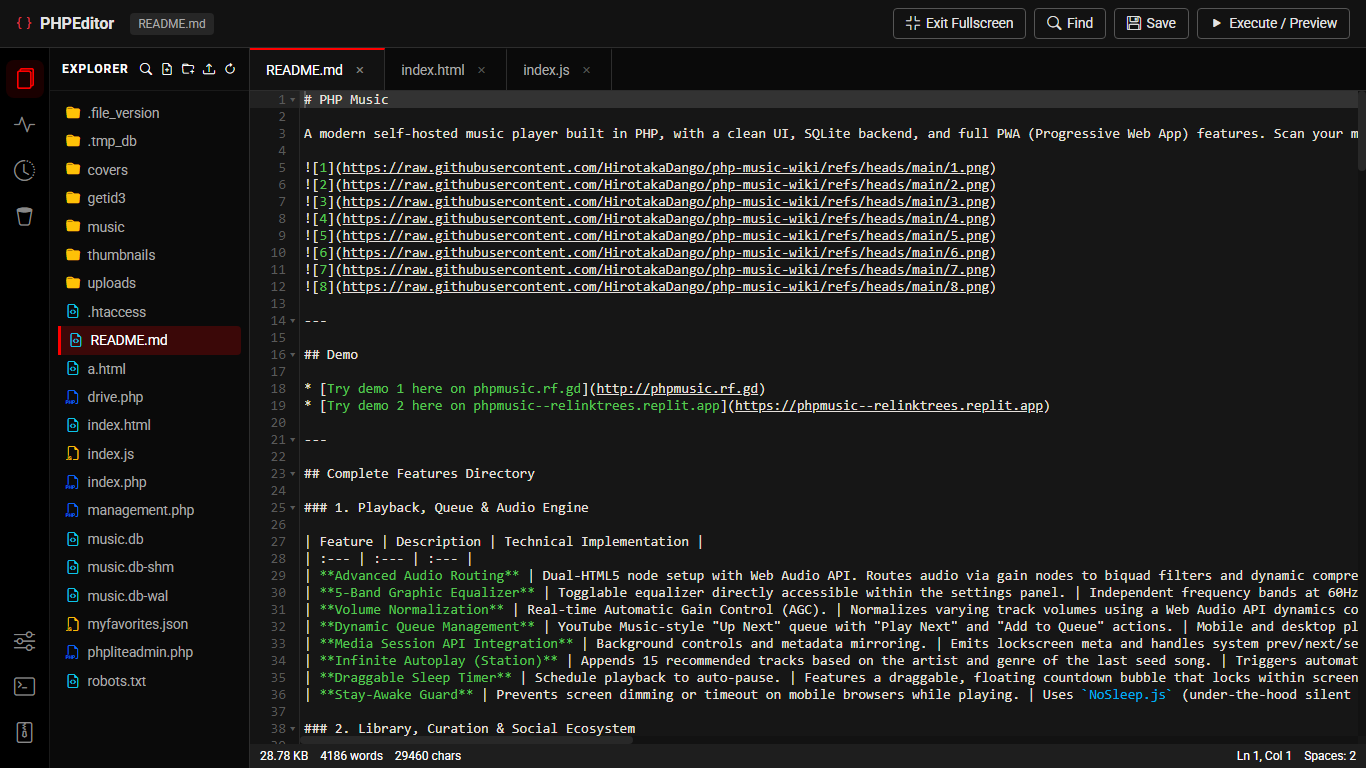
- 💻 Integrated PHPEditor (IDE): Desktop-optimized browser code editor for server files with Ace Editor, syntax highlighting, multi-tab support, file history rollback, and a terminal console.
- 🖼️ PHPShares – Artwork & Manga Gallery: Upload and share illustrations and manga with tags, series, characters, parodies, NSFW toggle, favorites, threaded comments, and a dedicated manga reader with page navigation.
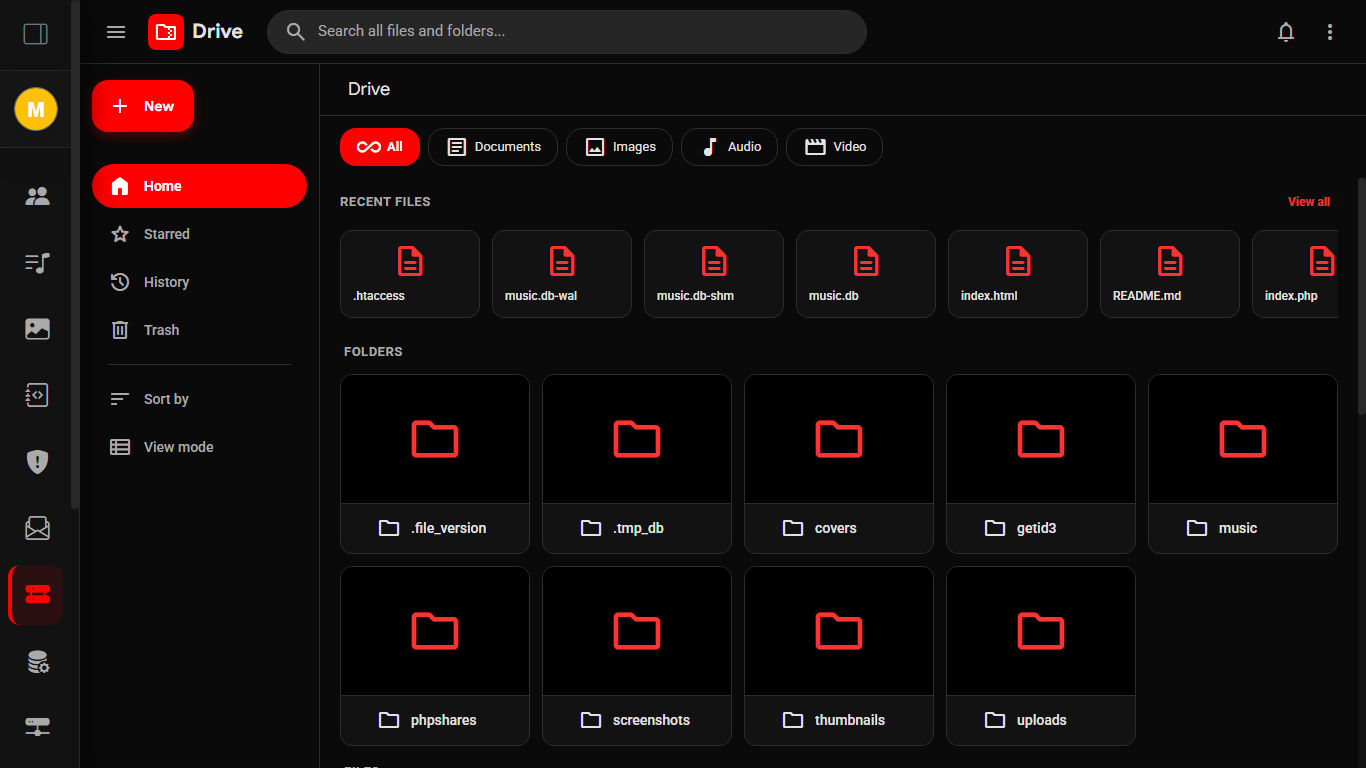
- 📁 PHPMusic Drive & Canvas Image Studio: Full-featured administrative file manager with 4 layout modes (Grid, Column Masonry, Justified Masonry, List), in-app canvas photo studio, version history, document viewers, and archive inspectors.
- 🔗 Social Ecosystem: Follow artists, invite collaborators, copy playlists, and share direct deep-links instantly.
Features
Library Management
Browse by songs, artists, albums, or genres. Features infinite scrolling, rapid local search, and diverse sorting options.Blogging Platform & Markdown Editor
Publish public posts or save private drafts. Features live Markdown preview, Find & Replace tool, auto-saving drafts, real-time word/character count, categories, and multi-format exports (PDF, HTML, MD, TXT, or ZIP). Includes blog-level likes/dislikes and threaded comments with nested replies (read-only for guests).Integrated PHPEditor (IDE)
Desktop-optimized browser code editor built on Ace Editor. Supports syntax highlighting (PHP, JS, CSS, HTML, JSON), multi-tab file management, file tree explorer, file history & rollback, and an interactive terminal console.Built-in Rhythm Game Engine
Challenge yourself on custom generated maps using tracks from your library. Features a structured hub with Songs, Favorites, Settings, and global Ranks tabs. Difficulty ranges from Easy to Master, with latency calibration, note tick-speed modifiers (up to 20x), mid-game pausing, retries, and high-score boards with Full Combo (FC) badges.Advanced HTML5 Image Editor (ImagEditor)
Create covers or edit pictures with a multi-layered canvas workspace. Import images, inject editable text layers, append shapes, drag, rotate, resize, toggle flip orientations, manage layer orders, apply filters (brightness, contrast, grayscale), and export files as high-resolution PNGs, JPEGs, WEBP, SVG, or project JSON. Includes brush tools with symmetry modes and 25+ design templates.PHPAudio – Audio Editor
Edit audio files directly in your browser: trim, amplify, adjust volume, and update metadata (title, artist, album, cover art). Uses the Web Audio API for waveform rendering and trimming; getID3 for metadata extraction; supports saving edited tracks back to the library with updated tags and cover images. Includes version rollback for library tracks.PHPShares – Artwork & Manga Gallery
Upload and share illustrations and manga with tags, series, characters, parodies, groups, and NSFW flagging. Browse by tags, characters, parodies, groups, or series. Manga reader with page navigation, keyboard controls, and episode selectors. Favorites and threaded comments with markdown and @mentions.Unlimited Offline Listening
Cache song files, cover art, and metadata into browser Cache Storage. Works completely offline. Missing files automatically dim and show warning alerts inside the Offline Music page.Local Device Export
Download cached songs directly from local storage into physical files to save data. This option dynamically displays in context menus only for fully cached files.ID3 Tags, Synced Lyrics & 1:1 Cropping
Modify song metadata and LRC lyrics directly. Features an integrated 1:1 ratio image cropper (with panning and zoom to fill gaps) for profile pictures and cover art, accompanied by real-time upload progress bars showing percentage feedback.Advanced Audio Engine
Features a built-in, togglable 5-band Graphic Equalizer (60Hz, 230Hz, 910Hz, 3.6kHz, 14kHz) and automatic real-time Volume Normalization (AGC) via Web Audio API to prevent uneven audio levels.Gapless Playback & Crossfade
Enjoy seamless track transitions via a dual HTML5 audio node system, automatically crossfading outgoing and incoming tracks over an adjustable 3-second period.Dynamic Queue Management
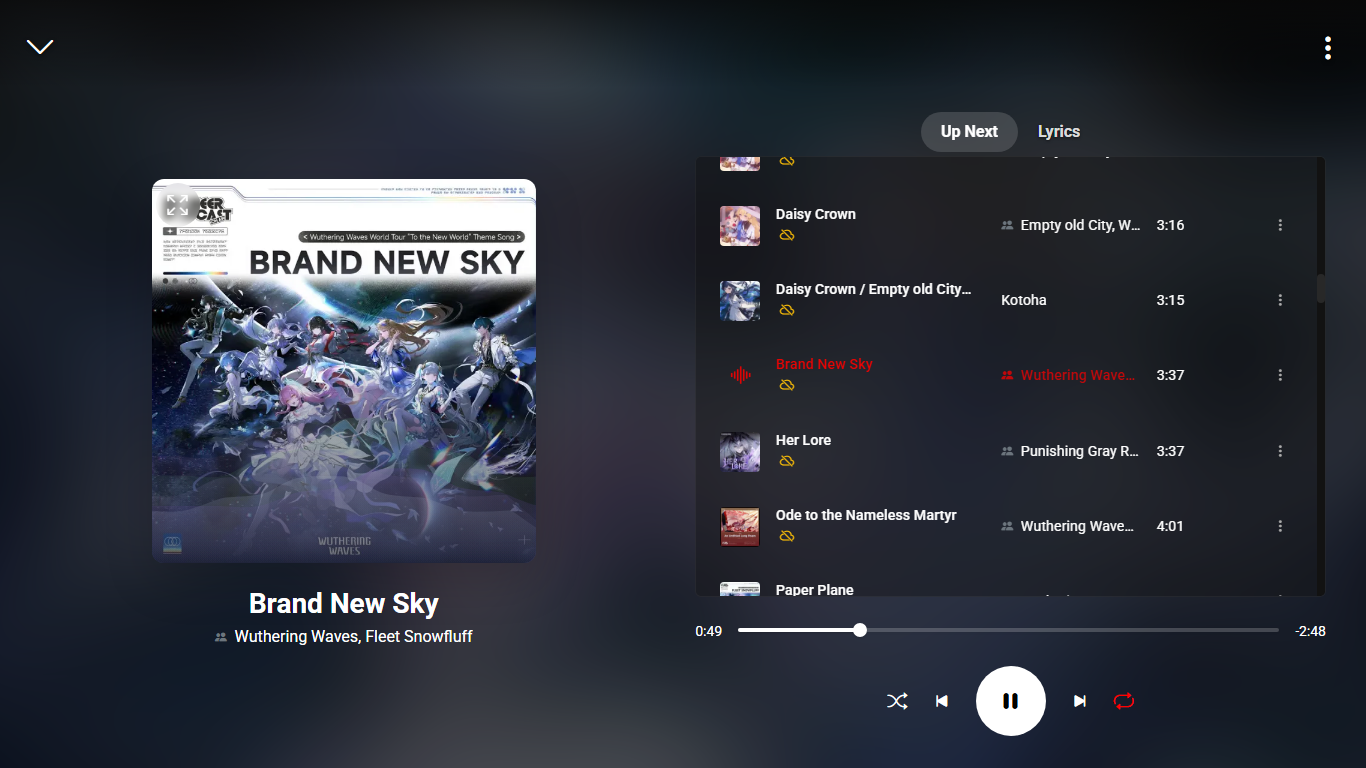
YouTube Music-style "Up Next" dynamic play queue. Supports "Play Next" and "Add to Queue" context menu options. Player modals feature an "Up Next" queue tab with on-demand infinite scrolling.Infinite Autoplay (Station Mode)
When your active play queue is exhausted, the app automatically transitions to Station Mode, appending 15 similar recommended tracks based on the genre and artist of your last played song.Collaborative Playlists
Invite specific users by email or exact display name to contribute tracks. The UI securely tracks contributors, showing "Added by [User]" inline. Toggling back to Private purges collaborators and their access.Draggable Sleep Timer & NoSleep.js
Schedule playback to auto-pause. Features a draggable, floating countdown bubble and a robust screen stay-awake mechanism driven byNoSleep.js (silent HTML5 video loop fallback) to prevent mobile display timeouts.
Playlist Downloader
Built-in sequential downloader interface. Batch download entire playlists directly to your hard drive, or grab single tracks by ID with real-time logging.Protected Uploads
Upload multiple songs simultaneously. Features a daily limit (default: 10 songs/day, resetting at midnight) and requires explicit admin verification to prevent abuse.Soft Delete & Recovery
Soft-delete your account credentials while keeping your upload data intact. Generate a backup key to restore your profile details and reclaim ownership later.Recommendations & Mixes
The "For You" tab generates personalized shelves (Recently Played, More from top artists) and auto-mixes based on listening history, top genres, and followed creators.Bookmark-based Listen Later
Save tracks to a personalized sortable queue using outline and filled bookmark icons. Manual reordering is saved natively to the database.Community Social Feed
Share public posts with support for editing, deletion, and reactions (likes and dislikes). Feeds can be filtered by newest posts, highest likes, or only users you follow.Song Conversations & Comment CRUD
Engage in song-level discussions with fully featured threaded nesting, direct replies, likes/dislikes on comments, `@username` tags, and individual edit/delete operations.Personal Notes System
A sandboxed, private notebook to compile thoughts, song lists, or lyrics, sortable dynamically by newest, oldest, and modified timestamps.Direct Messaging (Inbox)
Real-time peer-to-peer messaging system. Features read/unread indicators, image attachments, message editing/deletion, an inbox search tool, and live user online/active status presence.Interactive Calendar & Clock
A built-in interactive calendar widget. Jump between dates using the date-picker, easily return to today, and view the current time running on a real-time interval clock.Personal Privacy & Admin Override
Toggle playlists, uploaded tracks, or blogs to Personal Private mode to keep them strictly invisible and unplayable/unreadable to other accounts. Private items are automatically filtered out from other users' play queues, search results, and public lists. The system administrator account (musiclibrary@mail.com) maintains a global override to safely access all private assets.
PHPMusic Drive & Canvas Image Studio
A complete cloud file management and media gallery workspace (?access=admin&page=drive). Features 4 layout modes (Grid, Column Masonry, Justified Masonry with row-height scaling, and List), an in-app canvas image studio (crop, filters, freeform text stamps, undo/redo, dual save modes), HDMarkDown with Mermaid diagrams, Office/PDF document rendering, archive inspection, and version control.
Upload Modal Collaborator Search
The upload modal features the same search-by-name/email panel as the "Manage Collaborators" view, allowing you to select and manage collaborators as clear pill badges before uploading.Rhythm Game Offline Check & Progress
Automatically detects cached states on the offline rhythm list. Uncached tracks dim to 40% opacity, display a "Not cached offline" warning badge, and block playing when fully offline. Includes a real-time progress loader showing exact download percentages.Responsive Drive Editor & Scrolling
The file editor features dynamic tab-title syncing, auto-refresh to prevent layout overlaps, and optimized scroll overflows. The Admin Sidebar now scrolls independently from main content view blocks. Installation & Setup
- Clone the repository:
git clone https://github.com/HirotakaDango/PHP-Music.git cd PHP-Music - Dependencies:
Ensure PHP 7.4+ is installed. Download the latest getID3 library and extract it into a
getid3/folder inside the project root folder. - Enable SQLite in PHP:
PHP Music runs entirely on SQLite. If you are using XAMPP/LAMPP, you may need to enable it manually.
- XAMPP (Windows/macOS): Open
xampp/php/php.iniand remove the semicolon (;) beforeextension=pdo_sqliteandextension=sqlite3. Restart Apache. - LAMPP (Linux): Open `/opt/lampp/etc/php.ini`, uncomment the same extensions, and run `sudo /opt/lampp/lampp restart`.
- XAMPP (Windows/macOS): Open
- Permissions:
PHP must have write permissions to the project directory to create
music.dband theuploads/folder.chmod -R 777 . # Adjust permissions as per your server's security standards - Run the app:
Openphp -S localhost:8080http://localhost:8080in your browser. Register an account, log into the admin panel (?access=admin, password:admin) to verify yourself, and hit "Scan All" to build your library.
Security Tip: Change the
ADMIN_PASSWORD constant in index.php before deploying to a public server!
Usage Guide
- Accounts & Extended Sessions: Registering an account lets you track listening history, save favorites, create playlists, write blogs, and post comments. Sessions securely persist for up to 1 year so you remain logged in across devices. To upload music, an admin must verify your account (verified status = "yes").
- Dynamic Navigation Sidebar: Access directories for "Listen Later", "Community", "Personal Notes", and "My Blogs" situated directly below the "Following" tab.
- Blogging Platform & Markdown Editor: Access "My Blogs" from the sidebar to compose and publish articles. Supports full Markdown formatting (headings, lists, code blocks, tables, and media embeds) with a live split-preview mode and real-time word/character counting. Features an integrated "Find & Replace" tool, auto-saving drafts, category classification, and status toggles ("Public / Published" vs "Private / Draft").
- Blog Engagement & Comments: Public blogs feature like/dislike reactions and a full threaded comment section with nested replies, comment reactions, `@username` mentions, and edit/delete permissions for comment owners. Non-logged-in guests can read blogs and view comment threads, while comment posting and reaction controls are reserved for logged-in accounts.
- Blog Search & Sorting: Search through your blogs using the debounced search bar with empty-match feedback, and sort lists by "Newest", "Oldest", or "Recently Modified".
- Multi-Select & Bulk Actions for Blogs: Long-press or right-click blog cards to enter multi-select mode (highlighted with red borders). Bulk delete or download selected blogs as a `.zip` archive. Switching views automatically cancels multi-select mode.
- Exporting & File Import for Blogs: Export individual blogs to PDF, HTML, Markdown, or Plain Text. Batch import `.txt` files as new drafts or backup/restore entire blog collections via JSON.
- Rhythm Game Engine Guide: Access the "Rhythm Game" tab from the sidebar.
- How to Play: The game parses tracks directly from your database. Tap "PLAY" on any song card to trigger the launch setup modal. Under settings, you can define keyboard lane mapping bindings (default: `D`, `F`, `J`, `K`), calibrate audio latency offset values, and tweak the Note Speed multiplier (supporting up to `20x` speed).
- Ranks & Scores: The "Ranks" tab displays player-focused standing metrics sorted by total scores accumulated across all completed song sessions. In addition, when launching any specific track, its individual high-score board is dynamically rendered inside the Play modal—awarding glowing "FC" badges to perfect runs (0 misses/bads).
- Pause & Abort System: Tap "Pause" at any point during a run to freeze the timeline. The overlay lets you immediately "Resume", trigger an instant "Retry", or "Quit to Menu" safely.
- Image Editor (ImagEditor) Workspace Guide: Click "Image Editor" in the sidebar to load the canvas playground.
- Layer Manipulation: Click "Image" to import PNG or JPG files, "Text" to append editable text layers, or "Shape" to render vector shapes. Drag layers to position them, or use the active transform handles to scale, stretch, and rotate layers on a responsive plane.
- Property Adjustments: Tap "Settings" (or select a layer) to pull up the Properties Panel. Here, you can change positions, alter opacity levels, adjust rounded corner-radius values, and fine-tune image properties (brightness, contrast, grayscale filters).
- Brush & Drawing Tools: The "Draw" panel offers multiple brush engines (dip pen, felt tip, airbrush, calligraphy, neon, spray, eraser) with adjustable size, opacity, and glow intensity. Symmetry modes (vertical, horizontal, quad) help create mirrored illustrations.
- Actions & Exports: Reorder layers (bring forward/send back), toggle flip orientations, duplicate, or delete layers. When ready, click "Export" to save your composite creation to your local drive as a high-resolution `.png`, `.jpg`, `.webp`, `.svg`, or save the project as a JSON file for later editing.
- Projects & Templates: Save your projects in the cloud and access them later. The "Design Presets" drawer provides 25+ ready‑to‑use templates (promo banners, quote cards, cyber posters, vintage, minimal, etc.) to jumpstart your creative process.
- PHPAudio – Audio Editing Tool:
- Access: Click "PHPAudio" from the sidebar to open the audio editor workspace.
- Open Audio: Drag and drop or click to browse an audio file (MP3, FLAC, WAV, M4A, OGG, and more). The editor will display a waveform and extract all ID3 metadata.
- Trim & Amplify: Use the sliders to set a start and end point for trimming, and adjust the gain (amplify) to boost or reduce volume.
- Playback Controls: Preview your edits with play/pause, volume control, and playback speed adjustment.
- Edit Metadata: Update title, artist, album, and cover art. The cover can be cropped with a 1:1 aspect ratio.
- Save to Library: Save the edited audio directly to your music library. If you opened a song already in the library, you can save over it or create a new entry. The system updates the database and writes the new ID3 tags into the file.
- Rollback: If you save changes to an existing song, a version history is kept, allowing you to restore the previous version at any time.
- PHPShares – Artwork & Manga Gallery:
- Access: The "PHPShares" submenu in the sidebar lets you explore all artworks, illustrations, and manga/comics uploaded by the community.
- Browsing: Filter by "All", "Illustrations", "Manga", or "My Favorites". Sort by newest, oldest, most viewed, or most favorited. Use the search bar to find specific works by title, tags, characters, or series.
- Upload Artwork: Click "Upload Artwork" in the PHPShares submenu. You can upload multiple images at once (for manga pages), add a title, tags, description, and optionally assign it to a "Series". Mark it as "NSFW" (18+) if necessary.
- Manga Reader: When viewing a manga/comic, a dedicated reader mode allows you to flip through pages with keyboard arrows (←/→) or by clicking the left/right side of the screen. You can also jump to any page or episode using the episode selector modal.
- Series Management: Group related artworks into series. Each series shows its own page with aggregated metadata (tags, characters, parodies, groups) and a list of all episodes. You can navigate directly from the series page to any episode.
- Favorites & Comments: Like your favorite artworks and leave comments. Comments support markdown, @mentions, and threaded replies.
- Metadata Index: Explore the gallery by tags, characters, parodies, groups, or series via the dedicated index pages accessible from the PHPShares submenu.
- Listen Later (Bookmark): From any song's 3-dot context menu, select "Listen Later" to save it to your bookmarks. Bookmark icons dynamically alternate states. Drag and drop tracks inside your "Listen Later" tab to manually reorder your queue.
- Song Community & Comments CRUD: Open "View Comments & Likes" from any song context menu to engage in track discussions. This panel allows you to like/dislike the track, post nested comments, reply, react to other comments, or edit/delete your own submissions. Adding
@usernameinline will automatically format and highlight the tag for visibility. - Community Social Feed: Share posts with other users in the Community space. You can post, edit, delete, and react (like/dislike) to updates. Sort feed content by "Newest", "Most Liked", or exclusively from "Following Users".
- Personal Notes: Use the "Personal Notes" tab to manage draft ideas or lyric logs privately. These are sandboxed strictly to your profile and can be sorted by "Newest", "Oldest", or "Recently Modified".
- Direct Messaging & User Search: Access your Inbox to send real-time text and image messages to other users. Search for artists directly within the inbox. See when users were last active and check message read/unread status.
- User Blocking: From any user's profile, click the Block icon to instantly prevent them from messaging or following you, automatically severing any mutual follows.
- Calendar & Time: Use the Calendar option in the sidebar to open a real-time clock and interactive date-picker, ideal for quick date referencing during music curation.
- Offline Music Mode: Save songs, cover art, and metadata into browser Cache Storage via "Make Available Offline" in context menus. If files are not fully cached, they dim and cannot be played. Use "Re-download Cache" to re-cache if needed. If a song is fully offline, use "Save File to Device" to download it physically from browser storage without using network data. Drag-and-drop to manually reorder offline songs, with dedicated JSON import/export options.
- Audio Customization: Sculpt your sound directly from the Settings panel. Toggle "Volume Normalization" (Automatic Gain Control) to keep volume levels balanced, or enable the "5-band Equalizer" to adjust frequency gains (60Hz, 230Hz, 910Hz, 3.6kHz, 14kHz).
- Dynamic Queueing: Click "Play Next" or "Add to Queue" on any track context menu. Scroll down the "Up Next" tab in the player modals (mobile or desktop) to load the queue dynamically with infinite scrolling.
- Draggable Sleep Timer: Specify a countdown (in minutes) from your profile dropdown to automatically pause playback when the timer runs out. Displays a draggable floating countdown bubble on active sleep timers, complete with a quick-cancel button.
- Collaborative Playlists & Privacy constraints: Toggle your playlist to Collaborative. Open the playlist's 3-dot context menu and select "Manage Collaborators" to invite other users to contribute tracks by entering their exact username or email address. Collaborative track additions display "Added by [User]" inline. Note that private playlists cannot be collaborative, and switching a playlist to private automatically clears out all existing collaborators. Private songs uploaded by you will automatically be stripped from another user's playlist, even if they have collaborative edit permissions.
- Drag-and-Drop Reordering: Inside your custom Playlists or your Favorites tab (when sorted by "My Order"), click and drag a song to manually reposition it. The new order is automatically saved.
- Metadata & Synced Lyrics: Use "Edit Info" to modify tags (Title, Artist, Album, Genre, Lyrics) and assign custom cover art. Synchronized LRC lyrics will automatically display and scroll in real-time.
- Formatting LRC Lyrics: Ensure that each timestamp is followed by a space so the parser reads it correctly.
Correct
[00:15.30] Never gonna give you up
Incorrect[00:15.30]Never gonna give you up
- Formatting LRC Lyrics: Ensure that each timestamp is followed by a space so the parser reads it correctly.
- Sharing: Click the share icon on any album, artist, playlist, track, or blog to generate direct social links (Facebook, X, WhatsApp, Telegram) with direct query parameters.
- Developer Tools & API Playground: Access the API Documentation and visual Playground from the sidebar. You can inspect endpoints, generate test calls, copy payload structures, and evaluate live JSON responses directly.
- PWA Cache: If changes don't appear, use the "Clear Cache" button in the sidebar to securely wipe the IndexedDB version tracking and unregister the Service Worker dynamically.
Technical Architecture
PHP Music is built to minimize dependencies while maximizing performance:
- Single File Architecture: The
index.phpfile operates both as the client HTML/CSS/JS payload and the backend REST JSON API via the?action=...router. - Audio Routing (Web Audio API): Connects dual HTML5 audio elements (
audioandaudioB) through dedicated gain nodes to BiquadFilterNodes (EQ), routing into a DynamicsCompressorNode (Volume Normalization) before reaching the audio destination. This enables clean 3-second gapless crossfades. - Database Schema (SQLite): Persistent data is stored cleanly inside
music.db:users: Manages credentials, profile pictures (WebP blobs), quotas, and verification.music: Stores scanned track details, lyrics, optimized embedded artwork, and theis_privateprivacy state.favorites&playlist_songs: Pivot tables mapping user relations and custom positional ordering, along with the `added_by` collaborator tracker.playlists: Holds playlist details, collaborative preferences, and theis_privateprivacy state.playlist_collaborators: Maps authorized editors to specific playlists.offline_songs: Pivot table mapping user-specific offline songs.listen_later: Stores user bookmarks and position maps.personal_notes: Stores sandboxed personal notebook content.tasks: Stores task lists with JSON items, categories, and starred state.blogs: Stores blog titles, markdown content, public/private status, category pointers, and unique 8-byte hexadecimal `public_id` handles.blog_categories: User-defined category mappings for organizing blog posts.blog_comments: Threaded comment trees for blogs with parent-child nesting.blog_reactions&blog_comment_reactions: Tracks user likes and dislikes on blog posts and individual comments.song_reactions: Stores user likes/dislikes on tracks.song_comments: Stores song-level comment logs.comment_reactions: Stores likes/dislikes on individual comments.community_posts: Stores public feed status updates.community_reactions: Stores likes/dislikes on social posts.messages: Stores peer-to-peer direct messages, image attachments, read statuses, and edit tracking.blocks: Stores user-to-user block relationships.history&play_counts: Continuous playback logs (registered after 30 seconds) fueling the recommendations engine.follows: Map representing user-to-user and user-to-artist following relationships.rhythm_scores: Stores personal rhythm game scores, perfect/great/good hit metrics, and maximum combo counts.rhythm_favorites: Pivot table mapping user-specific favorite game tracks.arts,art_files,art_series: PHPShares artwork storage, images, series, and metadata.art_comments,art_comment_reactions: Comments and reactions for artworks.imageditor_projects: Stores image editor project states (JSON) with title, dimensions, category, and starred status.
- Audio Streaming & SW: The
get_streamendpoint natively handlesHTTP_RANGErequests. The Service Worker intercepts streams, caching them in browser Cache Storage and generating custom 206 Partial Content range responses on local buffers for perfect offline seeking. - PHPEditor (IDE): Integrated Ace Editor (`ace.js`) providing dark-mode syntax highlighting for PHP, JS, CSS, HTML, and JSON files, auto-saving buffers, and managing file history snapshots for instant rollbacks via the Drive API.
- ImagEditor: Built on Fabric.js for canvas manipulation. Supports layers, filters (brightness, contrast, saturation, blur, sepia, grayscale, invert), brush tools with symmetry, and exports to PNG, JPEG, WEBP, SVG, or JSON project files.
- PHPAudio: Uses the Web Audio API for decoding and waveform rendering. Trimming uses the AudioBuffer API. Metadata writing uses getID3's write functions. File versioning stored in `.file_version/` directories.
- PHPShares: Uploaded images are stored in `phpshares/uid_"/` with thumbnails. Series grouping, tags, and metadata are indexed in the database. The manga reader uses lazy loading for pages.
- PHPMusic Drive (PHPFiles Core): Embedded at
?access=admin&page=drive. Provides full-featured file storage and media gallery management with 4 layout modes, canvas image studio, HDMarkDown with Mermaid diagrams, Office and PDF suite rendering, and automatic LCS diff rollback versioning.
Admin Panel & Drive
Access the administrative dashboard by appending ?access=admin to your URL. Log in using your admin credentials. Admin sessions are highly persistent and securely cached in the browser via a 1-year cookie.
- User Management: View a paginated list (20 users/page) of registered users, searchable by ID, Email, or Artist name with granular permission controls.
- Verification & Moderation: Toggle verification status. Unverified accounts cannot upload music files. Instantly suspend or ban abusive users.
- Account Deletion & Purging: Permanently delete any user and purge all of their uploaded files, playlists, notes, tasks, blogs, and categories from the server database.
- System Library Context: Tracks scanned directly from the host disk are assigned to a virtual administrator account named "Music Library".
- PHPMusic Drive (Drive Manager): A comprehensive cloud file management and media gallery workspace (
?access=admin&page=drive) with zero external database dependencies:- 4 Layout Modes: 1:1 Square Grid, Column Masonry (Waterfall), Justified Row Masonry (Dynamic Aspect-Ratio Widths with Row-Height Slider Scaling from 125px to 380px), and Compact List View.
- In-App Canvas Image Studio: Interactive 8-point draggable & resizable Crop Engine (Freeform, 1:1, 16:9, 4:3, 9:16), 90° CW/CCW rotations, flip horizontal/vertical, filter tuning (Brightness, Contrast, Saturation, Grayscale, Sepia, Invert), freeform draggable text overlays & header banners, full Undo/Redo stack (
Ctrl+Z/Ctrl+Y), and dual save modes (Overwrite with automated version backup or Save as Duplicate Copy). - HDMarkDown & Programming Workspace: Built-in CodeMirror editor with live split-preview, syntax highlighting for 10+ languages, interactive Mermaid diagram pan/zoom, and fullscreen presentation mode.
- Document & Office Suite: Client-side PDF rendering using `pdf.js` with Retina High-DPI scaling, Microsoft Word (`.docx`) rendering via `docx-preview`, and Excel/CSV (`.xlsx`, `.xls`, `.csv`) spreadsheet table parsing via `SheetJS`.
- Archive Inspector & Compression: Preview archive contents, file sizes, and modification dates without extracting to disk; extract ZIP, TAR, GZ, and RAR archives on-the-fly; or package selected items into `.zip` and `.tar.gz` archives.
- Manga Reader & Offline Exporter: Vertical continuous reader with customizable screen fitting and one-click export into self-contained HTML files with embedded images.
- File Version Control & LCS Diff: Automated incremental snapshots created before file saves or image overwrites, complete with a visual LCS diff viewer and one-click rollback.
- AES-256-CBC Encryption: Encrypt and decrypt sensitive files (`.enc`) on-the-fly with custom passkeys.
- Chunked Uploads & Remote URL Downloader: 2MB chunked upload engine supporting drag-and-drop of folder hierarchies and server-side URL downloading with Content-Disposition header parsing.
- PHPEditor (IDE): A browser-based code editing suite (
?access=admin&page=ide) featuring a file tree explorer, multi-tab Ace Editor, version history rollback, media viewer, and an interactive terminal console (`git`, `ls`, `pwd`, `php -v`). - PHPDBManager: A web-based SQLite database manager (
?access=admin&page=dbmanager) for browsing tables, running SQL queries, inserting/updating/deleting rows, exporting/importing CSV or SQL dumps, managing indexes and foreign keys, and performing maintenance (VACUUM, integrity check, WAL checkpoint). - Song Management: List, search, bulk edit, ban/unban, and soft/permanent delete songs. Transfer ownership between users.
- Artwork Management: Manage uploaded artwork (PHPShares) with metadata editing, bulk actions, and permanent deletion with file cleanup.
- Activity Audit Logs: View a chronological list of all admin actions performed, including user and target details.
- Profile Reports: Manage user reports submitted by other users, with options to ban or dismiss.
- Ban Appeals: Review and approve/reject appeals from banned users, with ability to restore access.
- API Keys: Manage system-wide API keys for developer integrations. Generate, verify, ban/unban, and delete keys with monthly request limits (1,000 req/mo).
- Storage Stats Analytics: Visual breakdown of server disk usage, audio files, non-audio assets, and per-user storage footprints with real-time Chart.js doughnut and bar charts.
API Endpoints
The backend operates via GET/POST requests targeting ?action=.... All responses (except file streams and images) return strict JSON.
| Endpoint | Method | Description |
|---|---|---|
get_session |
GET | Returns active user profile, daily limits, and auth status. |
register / login |
POST | Handles authentication. Requires JSON payload (email, password). Sets active sessions for up to 1 year. |
restore_account |
POST | Restores an account mapping using a generated backup key. |
delete_account_keep_data |
GET | Wipes user credentials and email, but keeps user data (music, notes, tasks, blogs) and generates a backup key. |
upload_profile_picture |
POST | Accepts Multipart form data. Crops image 1:1, resizes to 200px, converts to WebP. |
full_scan |
GET | Recursively syncs disk files with the DB. Triggers getID3 parser for missing files. |
upload_song |
POST | Accepts MP3/FLAC/OGG. Parses ID3 tags immediately. Checks daily limit. |
edit_metadata |
POST | Updates DB and writes ID3v2/Vorbis tags (including lyrics) directly into the audio file. Saves covers in dedicated covers/songs and covers/albums folders. |
get_songs |
GET | Returns paginated songs. Supports parameters: sort, page, artist, album, genre, filter_user_id. |
get_view_data |
GET | Aggregates data for deep links. Supports types: profile, playlist, artist, album. |
get_blogs |
GET | Fetches blog posts. Supports parameters: sort, filter, q (search), artist_id. |
get_blog |
GET | Retrieves a single blog post by its public_id. |
save_blog |
POST | Creates or updates a blog post. |
delete_blog |
POST | Deletes a blog post by ID. |
export_blogs |
GET | Generates a downloadable JSON export of user blogs. |
import_blogs |
POST | Parses an uploaded JSON file and imports blog posts. |
get_blog_comments |
GET | Retrieves threaded comments, parent-child replies, blog reactions, and comment likes/dislikes. |
toggle_blog_reaction |
POST | Registers a like or dislike on a blog post. |
toggle_blog_comment_reaction |
POST | Registers a like or dislike on an individual blog comment. |
add_blog_comment / edit_blog_comment / delete_blog_comment |
POST | Full CRUD operations on blog comments and nested replies. |
get_recommendations |
GET | Generates "For You" shelves based on play_counts, history, and follows. |
log_play |
POST | Logs a playback event (after 30 seconds) to compile user history. |
clear_history |
GET | Wipes all play history and play counts for the logged-in user. |
toggle_favorite |
POST | Adds/removes a song from favorites. |
get_listen_later / get_listen_later_ids |
GET | Fetches detailed metadata lists or raw IDs of bookmarked songs. |
toggle_listen_later |
POST | Adds/removes a song from the listen later bookmarks. |
update_listen_later_order |
POST | Accepts an array of Song IDs to rewrite the position mapping of bookmarks. |
get_notes |
GET | Fetches private sandboxed personal notes. Supports sorting. |
save_note |
POST | Creates a new note or edits an existing note. |
delete_note |
POST | Deletes a specific note. |
get_song_comments |
GET | Fetches comment trees, overall song reactions, and comment likes/dislikes. |
toggle_song_reaction |
POST | Registers a like or dislike on a specific song. |
toggle_comment_reaction |
POST | Registers a like or dislike on an individual comment. |
add_song_comment / edit_song_comment / delete_song_comment |
POST | Full CRUD operations on individual track-level comments. |
get_community |
GET | Fetches public status posts with like/dislike counts and author info. Supports sorting. |
create_community_post / edit_community_post / delete_community_post |
POST | Full CRUD operations on community posts. |
toggle_post_reaction |
POST | Registers a like or dislike on a community post. |
toggle_offline |
POST | Adds/removes a song from offline cache database mapping. |
get_offline_ids |
GET | Fetches list of cached/offline song IDs mapped to the user. |
get_offline_songs |
GET | Fetches detailed metadata list of cached/offline songs. |
toggle_follow |
POST | Follows/unfollows a target user or artist. |
toggle_block |
POST | Blocks/unblocks a target user, preventing follows and direct messages. |
get_inbox / get_chat |
GET | Fetches conversation summaries and direct peer-to-peer message history. |
send_message / edit_message / delete_message |
POST | Handles sending (with image support), modifying, and deleting direct messages. |
toggle_collaborative |
POST | Toggles playlist collaborative state and deletes collaborators if made private. |
manage_collaborators |
POST | Adds, removes, or lists collaborators on a playlist. |
get_queue_songs |
POST | Fetches song metadata for a batch of IDs inside the dynamic play queue. |
get_radio_tracks |
GET | Generates 15 recommended tracks based on a seed song ID's genre/artist for Autoplay. |
update_favorite_order |
POST | Accepts an array of Song IDs to rewrite the sort_order column. |
update_offline_order |
POST | Accepts an array of Song IDs to rewrite position map of offline list. |
create_playlist |
POST | Generates a new playlist with a unique 8-byte hexadecimal public_id. |
copy_playlist |
POST | Clones another user's public playlist into the active user's account. |
save_image (Drive API) |
POST | Saves canvas-edited image data URL with overwrite or duplicate copy options. Requires Admin session. |
archive_preview (Drive API) |
GET | Inspects ZIP, TAR, GZ, and RAR archive file contents and byte sizes without server extraction. Requires Admin session. |
fetch_url (Drive API) |
POST | Fetches and downloads files from remote HTTP/HTTPS URLs directly to the server. Requires Admin session. |
manga_offline (Drive API) |
GET | Packages an image directory into a standalone single-file offline HTML comic reader. Requires Admin session. |
encrypt_file / decrypt_file (Drive API) |
POST | Performs on-the-fly AES-256-CBC encryption or decryption on server files. Requires Admin session. |
unzip (Drive API) |
POST | Extracts a .zip, .tar.gz, or .rar archive directly on the server filesystem. Requires Admin session. |
properties (Drive API) |
GET | Calculates recursive byte sizes and structural counts (files/folders) for directories. |
get_versions / restore_version (Drive API) |
POST | Retrieves file snapshot history and restores files to past versions. Requires Admin session. |
terminal_cmd (Drive API) |
POST | Executes safe terminal commands (git, ls, pwd, php -v) on the server. Requires Admin session. |
export_playlist / export_favorites / export_offline |
GET | Generates a downloadable JSON representation of a playlist, favorites, or offline music list. |
import_playlist / import_favorites / import_offline |
POST | Parses an uploaded JSON file, matches DB files, and builds target playlist, favorites, or offline list. |
download_song |
GET | Downloads the specific song audio file as an attachment. |
get_stream |
GET | Streams the physical audio file with 206 Partial Content (HTTP Range) support. Handles offline stream cache reading. |
save_rhythm_score |
POST | Saves a user's raw score, maximum combo, and precise perfect/great/good hit metrics to the database. |
get_rhythm_leaderboard |
GET | Aggregates and returns the global player standings sorted by accumulated total scores. Limits to top 25 users. |
get_song_rhythm_leaderboard |
GET | Fetches top 25 high scores recorded specifically for a single song ID, flagging Full Combo achievements. |
toggle_rhythm_favorite |
POST | Toggles a song's favorite state inside the rhythm game ecosystem. |
get_rhythm_favorites |
GET | Retrieves the complete list of favorited rhythm game track IDs mapped to the user. |
upload_art |
POST | Uploads artwork images (single or multiple) with metadata, tags, series, and NSFW flag. Stores files in `phpshares/`. |
get_arts |
GET | Fetches a paginated list of artworks with filtering by type (image/manga), search, tags, characters, etc. |
get_art |
GET | Retrieves a single artwork with all its files, comments, and metadata. |
toggle_art_favorite |
POST | Adds/removes an artwork from the user's favorites. |
add_art_comment / edit_art_comment / delete_art_comment |
POST | CRUD operations on artwork comments with nested replies. |
get_arts_explore |
GET | Returns popular tags and trending artworks/manga for the explore page. |
get_series_details |
GET | Fetches a series with its aggregated metadata and list of works. |
save_imageditor_project |
POST | Saves an image editor project (title, dimensions, state JSON, category, starred) to the database. |
get_imageditor_projects |
GET | Lists the user's saved image editor projects with filtering and search. |
toggle_imageditor_star |
POST | Toggles starred status on an image editor project. |
delete_imageditor_project |
POST | Deletes a saved image editor project. |
inspect_audio |
POST | Uploads an audio file temporarily and returns its getID3 metadata (format, bitrate, duration, etc.) for the PHPAudio editor. |
save_audio_editor |
POST | Saves an edited audio file (including trimmed clip, metadata, cover art) to the library. Supports creating new or updating existing songs. |
get_song_versions / restore_song_version |
POST | Fetches version history for a song and restores a previous version. |
Troubleshooting & FAQ
Ensure the
getid3/ directory exists and is accessible. Make sure PHP has read/write permissions for the local files and the project root (to create music.db). If using XAMPP/LAMPP, ensure SQLite extensions are activated in php.ini.
Make sure the
uploads/ directory is writable. Check your php.ini settings for upload_max_filesize and post_max_size and ensure they are large enough (e.g., 50M) to accommodate FLAC or WAV files. Also, verify your account is verified by the admin!
If the database updates but the physical file tags do not change, check the file permissions of the specific MP3/FLAC file. PHP needs write permissions to the file to utilize the getID3 tag writer. Note that updated cover artwork is saved to the database, embedded into file tags, and mirrored in dedicated
covers/songs and covers/albums directories.
Some files may lack embedded images. The app uses a default SVG icon as a fallback. You can manually assign a cover via the "Edit Metadata" context menu option (requires a 1:1 cropped image).
PHP Music supports the standard LRC format for synchronized lyrics. If your lyrics appear as plain text instead of syncing with the playback, ensure that each timestamp is followed by a space. For example, use
[00:15.30] Lyric text instead of [00:15.30]Lyric text.
Collaborative Playlists let you invite specific users by email or display name to edit a playlist. Note that the "Manage Collaborators" button in the playlist context menu is strictly visible only when the playlist is set to Collaborative. If you change a playlist's status back to Private, all invited collaborators and their contribution permissions are automatically deleted from the database.
Ensure the
phpshares/ directory is writable and has proper permissions. Check that GD or ImageMagick is installed and enabled in PHP for image processing. Large images may time out; consider increasing memory_limit and max_execution_time in php.ini.
Check the browser console for JavaScript errors. Fabric.js may fail to load if there are network issues. Ensure you have enough memory in the browser; large images may cause the canvas to be blank. Try resetting the canvas or loading a smaller image.